
The board by the door
Only people walking past can read it. Guests choosing where to eat are looking at their phones.
Menus for restaurants, cafés and pastry shops
Manage dishes, prices and daily specials from your phone. Your guests see the menu you publish — at the table, online and on your website.
Sound familiar?
Only people walking past can read it. Guests choosing where to eat are looking at their phones.
Someone photographed your menu long ago. That picture still shows dishes and prices you’ve since changed.
The duck rice runs out at 1:30 and gets crossed off. The QR code on the table still opens March’s PDF.
A Portuguese-only menu means explaining dishes one by one, in the middle of the lunch rush.
Try it
Bring a restaurant’s printed menu online, then try everyday changes in any order — some go live at once, others wait until you publish.
For your restaurant
Every restaurant gets one permanent address for its menu. Put it wherever guests look — and never reprint it.
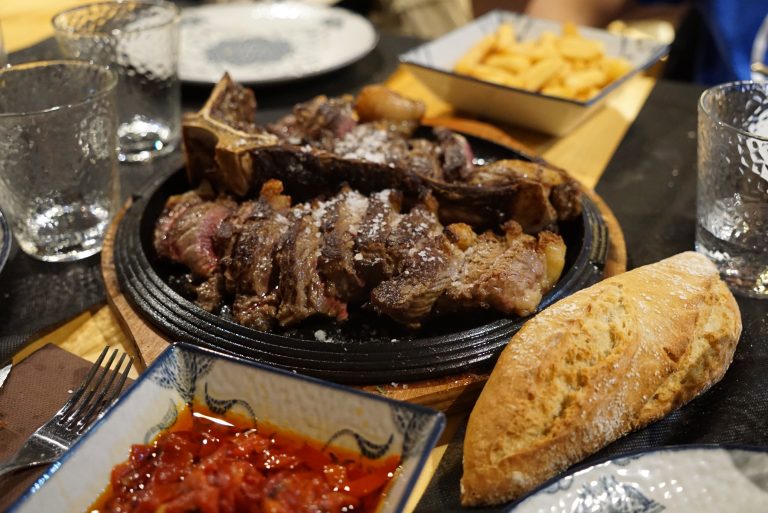
Printed menus often skip photos: a shoot costs money, color printing costs more, and today’s dish rarely matches a staged picture. Snap it on your phone when it leaves the kitchen — and add photos only where they help.
Up to five of your own photos per dish: pick the cover, frame it, and the photos stay with the dish when you reuse it.
Example photo: a CC0 stock image, not a customer’s dish.
Once your menu is online, any phone browser can offer to translate it. For English, Prato em Dia also suggests a version you review and correct — because some dishes translate and others need explaining.
Features
Saving keeps a menu up to date, privately. Publishing is what guests see. Today changes take effect straight away, for that day only.
Today · live now
Guests see it straight away, just for today — and Undo is right there.
Save, then publish
Your edits are kept as you go; guests only see the menu once you publish it.
Schedules
Set when each menu runs — from a start date, on chosen days, or repeating — so you don’t redo it every morning.
Dish catalog
Saved dishes keep their description, translation, prices and photos, ready for any menu.
Offers
Show the offer on your menu for the days and hours you choose; your team honors it at the till as usual.
Closures
Put up a notice for today, until a date, or until you reopen.
Included with Prato em Dia · optional
A simple page with a few words about you, your photos, and the address, hours, phone and social links from your business details. It shares your menu’s banner, effects and colors — copy the style across once whenever you want them to match.
The page has its own link, and your menu’s QR code keeps opening the menu. Already have a website? Keep it, and add the menu to it.
One clean layout with a few curated styles — not a website builder. Example restaurant and page are fictional.
Prato em Dia is not an ordering, checkout, payment, POS or inventory system, and not a general website builder. It keeps your menu right and works alongside the tools you already use. We look after the menu embed; anything built on the menu feed is maintained by whoever builds it.
We believe great restaurants are more than places to eat. They’re part of what makes a neighborhood feel like home.
Our mission is to help independent restaurants thrive by making it easier to manage their menus, adapt to daily changes, and connect with their customers.
We’re building technology that supports local food culture, encourages more sustainable operations, and makes digital tools accessible to businesses of every size.
Because when local restaurants thrive, communities do too.
We’re starting with restaurants, cafés and pastry shops in Lisbon. Book a short demo and we’ll show you Prato em Dia with your own menu.
No. The menu opens in the phone’s browser from a QR code, an NFC sticker or a link. No app, no account.
Publishing updates the shared menu, and anyone who opens it afterwards sees the new version. There can be a short delay before it reaches every phone — for example, for someone who already had the page open.
Saving keeps your menu up to date in Prato em Dia, privately — ready to reuse or schedule. Publishing is the step that changes what guests see. Unsaved edits are kept as you go, so a closed browser doesn’t lose your work.
No. In Today, sold out, hidden dishes and today-only prices reach guests straight away, with Undo. They apply to today only — tomorrow starts again from your saved menu.
Of course. Prato em Dia takes the same menu to the people who aren’t standing in front of them.
Take photos of a printed menu, or fill in a Prato em Dia spreadsheet. Prato em Dia reads the dishes, prices and categories into a private menu for you to check and correct — nothing is published automatically. Clearly printed menus work best; handwriting or blurry photos need more corrections. You can also export your menu as a file and bring it back later, with or without photos.
A good starting point, not a guarantee — especially for traditional dish names. You can review and edit every translation.
No. It’s a menu, not an ordering, checkout, payment, POS or inventory system. Your team marks what’s available. Offers are shown on the menu; your staff apply them at the till as they do today.
No. Photos are optional. Add them where they help — taken on your phone, no professional shoot needed.
No. The menu link works on its own, and Prato em Dia includes an optional restaurant page with your photos, address, hours and contact details. If you already have a website, keep it and add the menu to it.
Your published menu and restaurant page are ordinary web pages that search engines can read — once you switch that on. It’s off until you do. Search engines decide what to show, so nobody can promise a position.
You can add Prato em Dia to your phone’s home screen from a supported browser, so Today is one tap away. It’s the same web app, not a separate download, and it needs an internet connection.
Prices and terms are still being set with our first restaurants, so we’re not publishing figures yet. Book a demo and we’ll talk it through.